



I was three minutes from a win when my squad’s connection hiccuped and the screen froze. I braced for a ruined run—and then I reopened PEAK and picked up exactly where I left off. If you’ve ever felt rage at a lost run, you’ll want to read how this patch rearranges the rules of the game like swapping a blunt tool for a surgeon’s scalpel.
Complete PEAK Play It Your Way update patch notes
On my first playthrough after the update I opened the options and realized the game was asking me what kind of run I actually wanted to play.
This update changes the way you build and survive runs. You can tune difficulty, pick starting tools, mute specific hazards, and even save progress mid-adventure at campfires. I’m going to walk you through the parts that matter: the new choices that stop runs from feeling like punishment, the quick-session options for busy players, and the quality-of-life fixes that quietly remove annoying death spins you didn’t ask for.
How do Custom Runs work in PEAK?
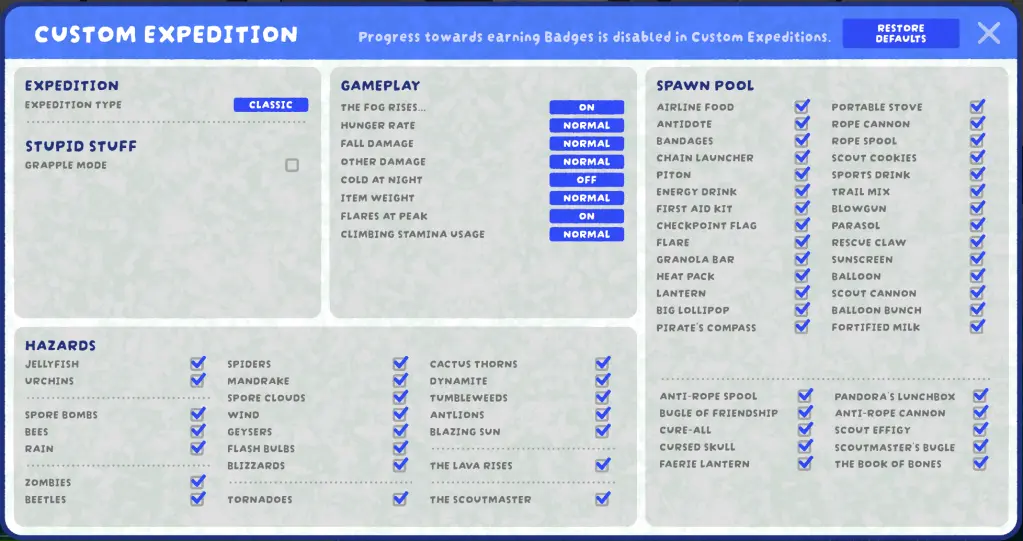
Custom Runs place the decision-making back in your hands. You choose how easy or brutal a run becomes: spawn tools, select which hazards appear, and tweak environmental effects so fog, hunger, or cold behave the way you want.
Think of the Custom Runs menu as a Swiss Army knife for your run: one setting for stealth, another for outright chaos. Want a relaxed scavenger hunt? Remove zombies, reduce fog intensity, and start with extra supplies. Crave a challenge? Spike enemy presence, crank environmental severity, and scrap starter tools. Steam, Twitch streamers, and communities on Discord are already using these presets to design tournaments and viewer-driven runs—Aggro Crab’s design opens room for creative modes and community-made challenges.
Mini Runs
I tested a Mini Run between meetings and finished a tense, focused session in twenty minutes.
Mini Runs let you play a single biome of the daily map for quick, high-stakes practice. The runs are shorter but still punchy—perfect if you stream in spurts, want to grind a badge, or only have a half-hour. Expect the same loot curves and hazards as full runs, compressed into an intense sprint instead of a marathon.
Campfire Autosaves
After getting booted once mid-lategame, I now treat campfires as strategic checkpoints rather than just place to rest.
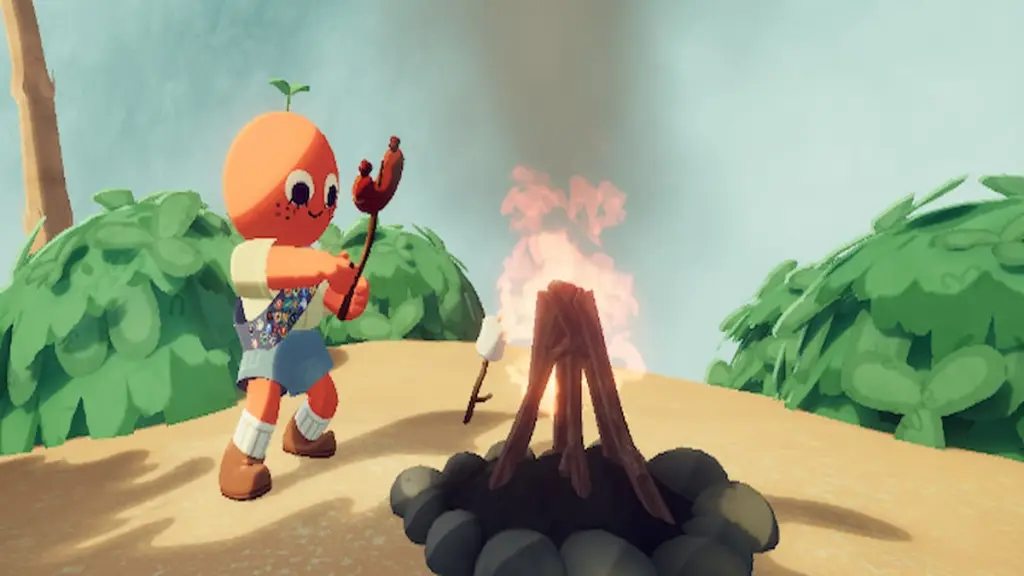
Reach a campfire and the run autosaves. You can quit and later resume from that exact point until the run ends or you start a fresh attempt. Campfires also pause hunger and fog progression while you sit, and they only extinguish after the scout leaves—so they’re now practical safe points rather than mere ambience.
Can I disable zombies or make them less graphic?
I flipped Zombie Phobia on during a co-op with a friend who dislikes gore, and it changed the tone without breaking balance.
The update adds Zombie Phobia to Custom Runs: you can remove zombies entirely or apply a less-graphic mode. That lets creators host viewer-friendly streams on Twitch or co-op sessions with younger players. Aggro Crab appears responsive to community feedback, and the option lands cleanly in the Custom Runs UI.
Patch notes: small fixes that stop big headaches
I ran through a batch of reconnect scenarios to confirm these fixes actually stick.
- Single-run achievements (like Gourmand or Mycology) now maintain progress through disconnect/reconnects.
- Fixed a rope shooter bug where firing then immediately interacting could cause a division-by-zero and unpredictable behavior.
- Scouts that should revive after reconnecting now do so reliably.
- Endgame scout reports generate correctly after disconnect/reconnect.
- Audio sliders and the kick button appear immediately for new joiners without reopening menus.
- Players who were skeletons on disconnect stay skeletons on reconnect when appropriate.
- Fixed an issue where Player 3 and Player 4 could spawn in the same location.
- Rescue Hook now leaves you ragdolled for a shorter period, making it more usable in clutch moments.
After you’ve set a Custom Run and tested Mini Runs, the real question is whether you’ll tune the game to reduce friction or crank the settings until runs become a badge of pride—how will you choose to play PEAK now?
Support our work ❤️
If you enjoyed this article, consider leaving a tip to help us keep publishing great content.
